Aroyn brings game-specific controls and runtime information together, without making the dashboard a requirement.
Use the hub on its own, choose the tools you need, and adjust how they behave. Link your session to your account when you want to follow the same runtime from the web.
02 / In-game tools
Fine control. Less repetition.
Choose your rules, rather than switching everything on. These tools are implemented in the Greedy Growers client.
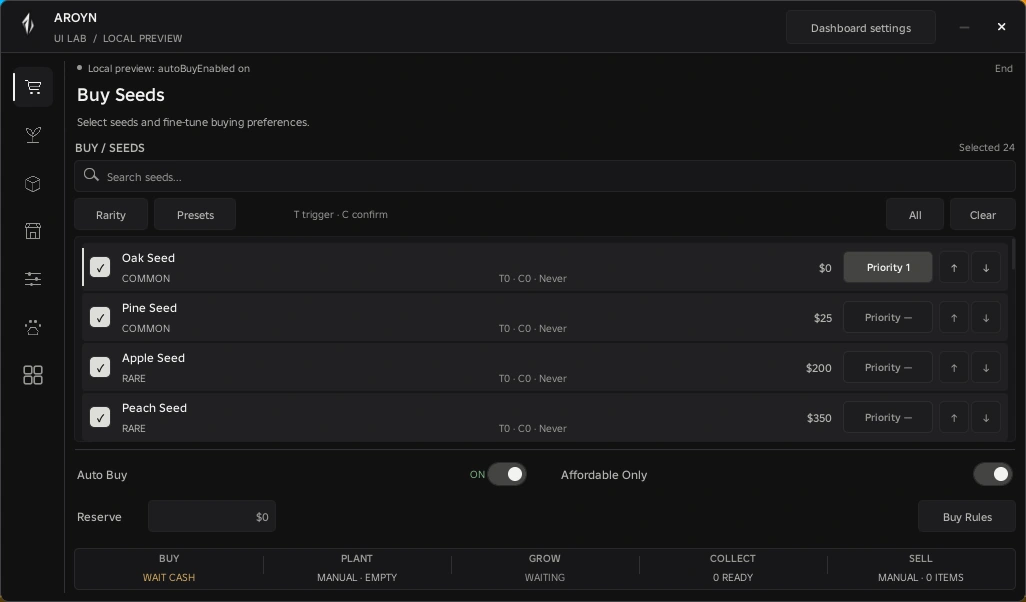
BUY / SEEDS
Buy the seeds you actually want.
Select seeds individually or by rarity. Set priorities, keep a cash reserve and add limits to the buying worker.
Selection
Individual seeds & rarity filters
Budget
Affordable only & cash reserve
Limits
Max price, rate limits & stop rules
COLLECT / PLOT
Keep collection moving.
Use the existing collection workers for fruit, leaves and pet seed drops. Inspect your plot and inventory alongside their session counters.
Fruit
Direct collection, without teleporting
Other drops
Separate leaves & pet-seed controls
Activity
Session counters & recent events
PETS / AUTO FEED
Feed for hunger, within your budget.
Set when feeding starts and stops. The worker chooses the cheapest eligible fruit from inventory or your own plot for a hungry active pet.
Hunger
Start & stop thresholds
Value
Optional fruit price cap
Protection
Favorites & locked/waxed fruit excluded
Enable each automation deliberately. Pet feeding starts off by default.
A /Custom in-game interfaceLUAU
UI library development capture · sample dataFull view ↗
An earlier UI Lab iteration. The new interface is integrated and PC-tested locally; this image is not a screenshot of the public release.
03 / Supported games
One game. Built in depth.
Greedy Growers is Aroyn’s first supported title. More games can be added as their tools are developed and verified.
Available in the public client
Greedy Growers
Farm tools, from seed selection to pet care.
Seed buyingFruit & drop collectionPet feedingCompostMarket offersPlot & inventory
Planting, growing and selling remain manual. Aroyn does not currently automate every stage of the farm.
04 / Connected dashboard
The same session. A wider view.
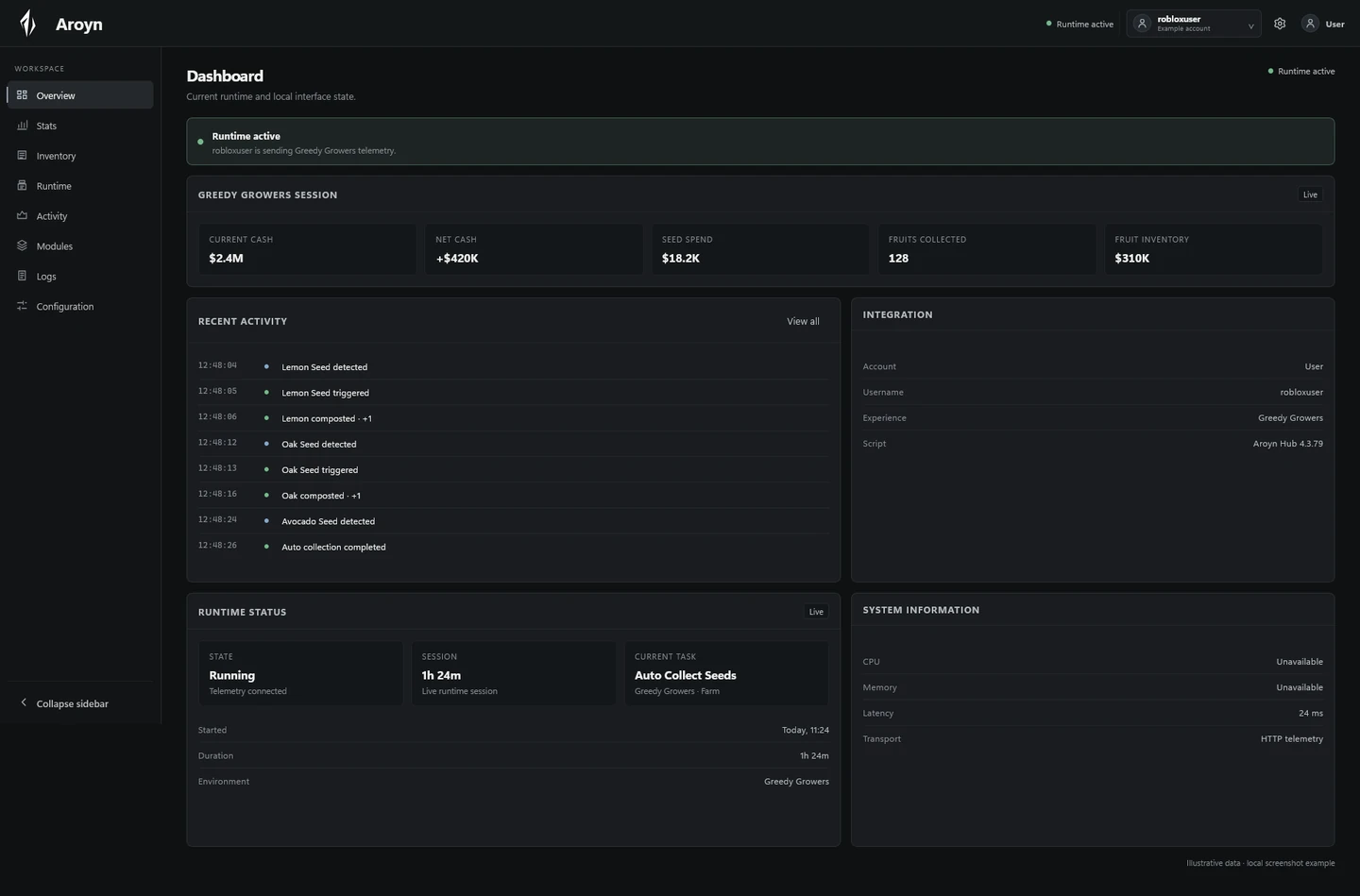
Sign in with Discord and link the running hub with your dashboard key. View your own supported runtime information from the browser.
Website links use aroyn.xyz, with more compact Pets and Buy Seeds layouts on smaller screens.
Local developmentNew interface
A reusable UI, integrated with Greedy Growers
The new local interface includes compact navigation, a floating minimize/restore launcher, notifications and named preference profiles. Loading a profile does not start gameplay automation.
The library and game integration are PC-tested locally. Mobile verification remains pending. This work has not been published.